
Do I need 10GbE?
If your team edits from shared storage, the network decides how smooth playback feels. Here’s what each network speed really gives you, how many streams it carries, and how to tell which one your studio needs.
- Real speeds
- 1GbE carries about 100 MB/s, 10GbE about 900 MB/s and 25GbE about 1,400 MB/s to one computer.
- Each desk
- Allow three streams of your format at once, plus 25% for scrubbing and caching.
- The storage link
- Size the connection into your storage for every editor at their busiest, at the same time.
- Short answer
- HD, proxies and camera H.264 run fine on 1GbE. UHD intermediates and raw formats need 10GbE.
SC.01 Real-world speeds
Less than the number on the box
Network speeds are sold in gigabits per second. Files are measured in megabytes. Eight bits make a byte, and file sharing has its own overhead, so a good rule is to divide by ten, not eight, and then take a little more off.
Sold as 1,000 Mbps, the standard office network. About 800 Mbps of real throughput.
Sold as 2,500 Mbps, the faster port built into many newer computers. About 2,000 Mbps.
Sold as 10,000 Mbps. About 7,200 Mbps to each computer, nine times what 1GbE carries.
Sold as 25,000 Mbps. That’s to one computer, with about 2,000 MB/s in total into the storage.
These are the same figures our storage calculator and the network check use. A route is only as fast as its slowest part: one 1GbE port, cable or switch anywhere between a desk and the storage holds the whole route at 1GbE.
SC.02 Streams per connection
How many streams each one carries
A typical edit plays up to three streams at once: two camera angles and some B-roll, say. Each stream needs its data rate plus about 25% for scrubbing and caching. Here’s how many streams fit down one desk connection, at 25 fps.
| Format (data rate at 25p) | 1GbE | 2.5GbE | 10GbE | 25GbE |
|---|---|---|---|---|
| ProRes 422 Proxy · HD (38 Mb/s) | 16 | 20+ | 20+ | 20+ |
| H.264 or H.265 camera files · 4K (150 Mb/s) | 4 | 10 | 20+ | 20+ |
| ProRes 422 HQ · HD (184 Mb/s) | 3 | 8 | 20+ | 20+ |
| ProRes 422 · UHD (492 Mb/s) | 1 | 3 | 11 | 18 |
| ProRes 422 HQ · UHD (737 Mb/s) | None | 2 | 7 | 12 |
| ProRes 4444 XQ · UHD (1,659 Mb/s) | None | None | 3 | 5 |
| BRAW 3:1 · 6K (2,153 Mb/s) | None | None | 2 | 4 |
| ARRIRAW · 4.6K Open Gate (4,644 Mb/s) | None | None | 1 | 1 |
Filled dots mean three streams or more, enough for a typical edit. Hollow dots mean one or two streams: fine for a single clip, but multicam and scrubbing will stutter. None means the connection can’t play even one stream smoothly. DNxHR HQ at UHD (728 Mb/s) behaves almost exactly like ProRes 422 HQ. At 50p, intra-frame formats double their data rate, so halve the stream counts. Formats too heavy for three streams even over 25GbE, such as ARRIRAW, are edited from proxies, with the camera files used one stream at a time for the conform and grade.
SC.03 The link to the storage
Every desk shares one connection
Fast desks are only half the job. Every editor’s footage comes through the one connection between the switch and your storage, so that link has to carry the whole team at its busiest, all at once.
- 1
Work out one desk
Four editors in ProRes 422 HQ at UHD each need about 2,764 Mbps, or 345 MB/s. That’s too much for 1GbE, and comfortable on 10GbE.
- 2
Add up the team
Four desks at their busiest need about 11,056 Mbps between them. A 10GbE link to the storage carries about 7,200 Mbps, so each editor would get only about 1,800 Mbps.
- 3
Size the uplink to match
Connect the storage at 25GbE, which carries about 16,000 Mbps in total, and every editor gets their full share. Bigger teams move to two 25GbE links, or 100GbE.
It’s an easy bottleneck to miss. On most networks the storage connects at the same speed as the desks, so a studio can fit 10GbE everywhere and still find playback stutters when the whole team is busy. Try your own numbers in the network check.
SC.04 Copying & ingest
Waiting for the copy
Playback is only part of the story. Every shoot has to be copied onto the storage, and every project gets moved, archived and backed up. Here’s how long that takes at each speed, if nothing else slows it down.
| Network | 1 TB of rushes | A day’s shoot: 8 hours of ProRes 422 HQ UHD, about 2.7 TB |
|---|---|---|
| 1GbE · 100 MB/s | 2 hr 47 min | 7 hr 23 min |
| 2.5GbE · 250 MB/s | 1 hr 7 min | 2 hr 57 min |
| 10GbE · 900 MB/s | 19 min | 49 min |
| 25GbE · 1,400 MB/s | 12 min | 32 min |
A copy only runs as fast as its slowest part, so a card reader or a single external drive can be the limit on a fast network. A big copy also shares the storage link with everyone who’s editing, which is another reason to size that link for the busiest moment, not the average. ProRes 422 HQ at UHD fills about 332 GB an hour.
SC.05 What you need
Everything on the route has to match
10GbE is not one upgrade, it’s a chain. Each of these has to run at 10GbE or faster, or the whole route drops to the speed of the slowest link.
A 10GbE port in each computer
Some workstations have one built in. Desktop towers can take a 10GbE network card, and laptops and compact desktops can use a Thunderbolt to 10GbE adapter.
A switch with the right ports
A 10GbE port for every edit desk, plus a faster port for the storage when the team needs it. A managed switch lets you see what the network is doing.
Cabling that can carry it
Over copper, 10GbE runs on Cat6a for up to 100 metres, or on Cat6 for shorter runs, up to about 55 metres. Older Cat5e is fine for 2.5GbE.
Fibre or DAC in the rack
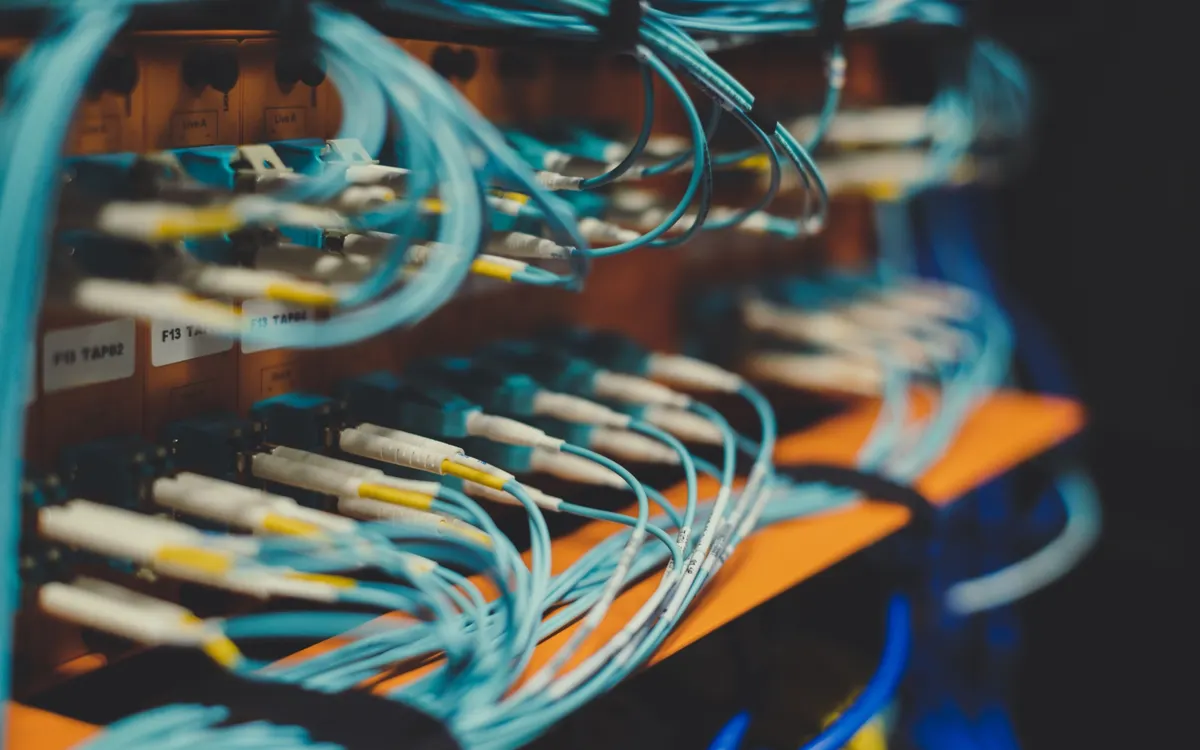
Links between the switch and the storage are often fibre, or short direct attach copper (DAC) cables. They’re what 25GbE and faster usually run on.
Fast ports on the storage
The NAS needs 10GbE or 25GbE ports to match the uplink, and enough drives working together to keep up with the network.
Tidy, labelled cabling
Structured cabling to patch panels and faceplates makes faults quick to find, and makes it easy to add a desk later.
SC.06 Less, or more
When 1GbE is enough, and when 10GbE isn’t
Not every studio needs 10GbE at every desk. And some need more than 10GbE in the right places. It all comes down to what you edit and how many of you edit it at once.
Proxy workflows: 1GbE
If you cut from proxies, such as ProRes 422 Proxy at HD, a 1GbE desk carries over a dozen streams. You only need more for the conform.
HD and camera H.264: 1GbE
ProRes 422 HQ at HD and 4K camera files in H.264 or H.265 fit three streams down 1GbE. The storage link still needs to carry the whole team.
One or two UHD editors: 2.5GbE
2.5GbE just about carries three streams of ProRes 422 at UHD, but not ProRes 422 HQ. It works on existing Cat5e or Cat6, so it’s a cheap step up, with little headroom.
UHD intermediates: 10GbE
ProRes 422 HQ, DNxHR HQ and ProRes 4444 XQ at UHD all need 10GbE to each desk. This is where most edit teams land.
Heavy raw at the desk: 25GbE
Three streams of 6K BRAW 3:1 or 8K X-OCN ST need more than 10GbE can give, so those desks move to 25GbE. That’s the fastest desk connection we’d recommend.
A bigger team: a faster uplink
Most of the time, going beyond 10GbE means the storage link, not the desks. It moves to 25GbE, two 25GbE links or 100GbE as the team grows.
The heaviest raw formats, such as ARRIRAW, REDCODE HQ and X-OCN XT, are too heavy for three streams even over 25GbE. Teams edit them from proxies, and size each desk for one stream of the camera files.
SC.07 Decision table
What your edit needs
Find the format closest to yours. The desk link is for each editor; the storage link is for a team of four at 25p, all busy at once.
| What you edit | Each desk needs (MB/s) | Desk link | Storage link, 4 editors |
|---|---|---|---|
| ProRes 422 Proxy · HD | 18 | 1GbE | 10GbE |
| H.264 or H.265 camera files · 4K | 70 | 1GbE | 10GbE |
| ProRes 422 HQ · HD | 86 | 1GbE | 10GbE |
| ProRes 422 · UHD | 231 | 10GbE | 25GbE |
| ProRes 422 HQ · UHD | 345 | 10GbE | 25GbE |
| ProRes 4444 XQ · UHD | 778 | 10GbE | 2 × 25GbE |
| BRAW 3:1 · 6K | 1,009 | 25GbE | 100GbE |
| ARRIRAW · 4.6K, from proxies | 726 | 10GbE | 2 × 25GbE |
Each desk allows three streams plus 25%, except ARRIRAW, which is edited from proxies and sized for one stream of the camera files. Different frame rates, formats and team sizes change the answer, so the network check and the storage calculator work it out for your own setup.
SC.08 Checklist
Sizing your network, step by step
Work through this before you buy anything. If a line doesn’t have an answer yet, we’re happy to help you find it.
Know your format and frame rate
The heaviest format you edit sets the bar, not the average one.
Count your editors at their busiest
Including assistants, the grade and anyone copying in rushes.
Size each desk
Three streams plus 25%, or one stream of camera files if you edit from proxies.
Size the storage link for everyone
Add up every desk at once. If it’s more than about 7,200 Mbps, the storage needs more than 10GbE.
Check every link in the route
Computer port, cable, wall socket, patch lead, switch port and storage port.
Check your cable runs
Cat6a for 10GbE runs up to 100 metres; Cat6 only up to about 55 metres.
Plan for ingest and backup
Big copies share the same links as the edit, so allow for them.
Leave room to grow
Heavier formats and a bigger team come sooner than you think.
SC.09 How we help
We size it, build it and look after it
We build the network and the shared storage that runs on it, so the two are sized together, and we support both once they’re in.
Office networking
Design, structured cabling and 10GbE upgrades, with network management and security. Office networking
Shared storage
A NAS in your studio shared across your workstations, including any cabling needed when it’s installed. Local storage
Sized for your edit
Tell us your formats and your team, and we’ll work out the desk and storage links you need. Storage calculator
REF Sources & further reading
- 10 Gigabit Ethernet: 10GBASE-T (IEEE 802.3an) runs up to 100 metres over Cat6a, and up to about 55 metres over Cat6.
- 2.5GBASE-T and 5GBASE-T: 2.5GbE and 5GbE (IEEE 802.3bz) over existing Cat5e or Cat6 cabling.
- Data rates for each format are the published figures used in our storage calculator, at 25 fps. Stream counts and copy times are worked out from them using the real-world speeds above.
END Next step
Not sure your network keeps up?
Tell us what you edit and how many of you edit it. We’ll tell you what your network needs, with no obligation. We manage the storage and the network, so you can focus on what you do best.